
Insight
Modular Business Software: Start Where Value Is
Modular software lets organisations improve the part of the operation that matters now without buying a monolith.
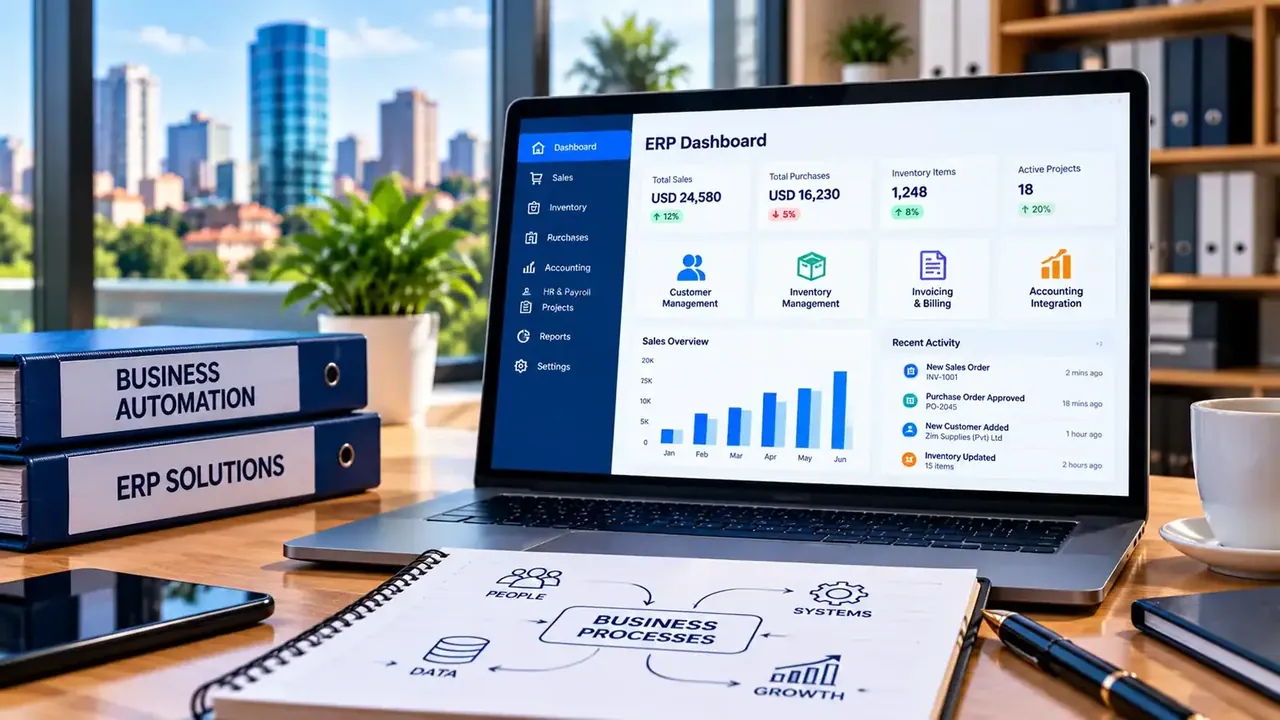
Modular software lets organisations improve the part of the operation that matters now without buying a monolith.
Transformation does not need a big-bang launch
Many organisations know they need better systems but do not need every department to change at once. One team may need stronger invoicing and accounting workflows today. Another may need property sales or rental management. A customer portal, CRM process or reporting capability may become a priority later. A modular approach allows the organisation to start with a defined business need and expand as priorities, resources and readiness change.
Start with the business problem, not the module list
Before selecting software, map the process that is causing the most friction. Is information being entered repeatedly? Are approvals difficult to track? Are staff relying on spreadsheets to understand outstanding balances? Are customer enquiries being lost between teams? A clear problem statement helps determine which capability should come first and how success will be measured.
Set a practical baseline. Record the time a process takes, the number of hand-offs, common errors or the visibility managers currently have. This makes it possible to evaluate whether the new workflow has improved the operation after implementation.
Choose a first capability with a clear owner
A sensible first phase has a defined scope, an accountable business owner and a manageable group of users. For example, an organisation might begin with finance and accounting, then add HR and payroll when the team is ready. A property business may prioritise property sales or rental management. The sequence should follow operational value, not a desire to activate every available feature.
Modular does not mean disconnected
Modules still need clear responsibilities and reliable ways to exchange authorised information. Decide which system owns customer records, invoices, property availability and other important business facts. Define identifiers, user permissions, reporting needs and what happens when an integration is delayed or fails. Without these rules, an organisation can simply recreate the same data silos with a different set of tools.
Plan for the complete lifecycle: discovery, configuration, data preparation, testing, staff training, launch support and ongoing review. Make sure users understand what changes in their daily work and where they should raise questions or report an issue.
Expand when the next business case is ready
After the first workflow is stable, review what has improved and what remains difficult. The next phase might connect a customer-facing website, introduce more structured reporting or automate a repetitive approval. Each addition should have its own purpose, owner and acceptance criteria. This keeps the programme manageable and gives the organisation room to learn.
A three-stage modular rollout for an SME
Imagine a Zimbabwean distributor tracking enquiries in WhatsApp, invoices in a spreadsheet and payments in a separate accounting tool. A sensible first module may be a shared enquiry pipeline with ownership and status. Once staff use it consistently, the business can connect approved quotations or invoices. Only then does it make sense to add stock reservations, dispatch or management dashboards. Each stage should solve an observed problem rather than increase the number of screens.
Set acceptance criteria for every stage. For a sales module, can staff find an enquiry, assign the next action and see overdue follow-ups? For invoicing, can an authorised user reconcile an invoice with its payment? The evidence should come from actual test records and user demonstrations.
Questions about cost, data and exit options
Ask whether pricing is per user, module, transaction or support level; what is included in setup and training; and how future modules affect the total cost. Confirm what data can be exported if the business changes provider. Before connecting applications, agree which system owns each important record, how permissions are assigned and how integration failures appear to staff. A modular solution works when modules share reliable information without leaving the business dependent on fragile manual workarounds.
Questions to ask when evaluating modular software
- Can we start with one priority workflow and add capabilities later?
- Which records are authoritative, and how are they shared?
- Can permissions be assigned by role and responsibility?
- How are data migration, testing and training handled?
- What happens when a connected service is unavailable?
- How can we export our data and review the total cost over time?
Build around the way your organisation works
NewEdge360 provides a modular business software environment, while FMG Business Solutions helps organisations assess their needs and plan an appropriate implementation. Explore the connected business apps and implementation options or request a NewEdge360 demonstration to discuss the workflows most important to your team.
Pilot the workflow that hurts most
Choose a high-friction task and record the baseline time, errors and staff effort. A small module that is used consistently may be better than an ambitious deployment no one maintains.
Document shared data ownership
Decide which connected app owns customer and transaction records, how changes propagate and what happens when integrations fail. Expand only after users can reconcile the results.
Implementation checks
- Define the business outcome and accountable owner.
- Test a realistic exception before launch.
- Confirm data access, permissions and change approval.
- Record support, training and ongoing costs.
Key takeaways
- Start with the highest-value operational problem.
- Add capabilities as the organisation is ready.
- Keep system boundaries explicit.
Published 16 September 2026