Insight
Beyond Websites: Build Digital Operations
A modern website can become part of the operating system of the business when it connects customers to authorised operational services.
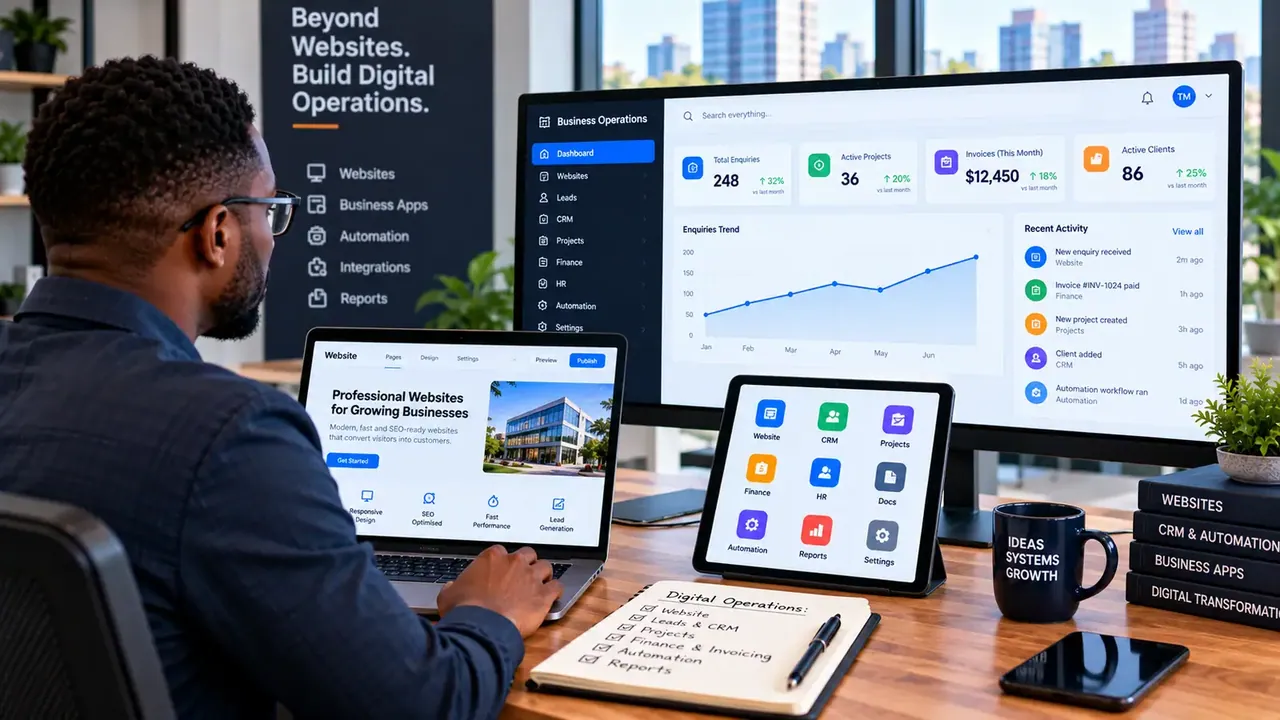
A modern website can become part of the operating system of the business when it connects customers to authorised operational services.
A website can be a working business interface
The strongest digital platforms do more than publish information. They connect customer intent to real operational journeys: an enquiry reaches the right team, a property listing reflects authorised inventory, an order becomes a fulfilment workflow, or an application enters the correct review process. When a website is planned this way, it becomes part of how the organisation serves customers rather than a separate online brochure.
Start with the customer and staff journey
Map what the customer is trying to do and what staff must do next. A visitor might request a quotation, enquire about a property, apply for a service or ask for support. For each step, identify the information that must be collected, the team responsible and the system that should own the resulting record.
Then decide what belongs on the public website and what should remain inside authorised business systems. The website should present approved information and collect the details needed for the next step without becoming a competing source of truth.
Connect the website to the right business capabilities
Different organisations need different connections. A service business may prioritise forms and CRM follow-up. A property company may need listings connected to property sales or rental records. A business that sells online may need catalogue, order and payment workflows. Reporting can help managers understand what is happening across these journeys.
FMG's websites and digital platforms work can be considered alongside connected business workflows and the wider technology offering. The appropriate scope depends on the systems already in use, the data involved and the permissions required.
Build progressively and protect system ownership
Start with the highest-value journey and add integrations as the organisation is ready. This is usually more reliable than attempting a massive transformation in one release. Agree which system owns each important record, how information is matched and what should happen if a connected service is unavailable.
Before launch, test the complete journey with realistic examples: a valid enquiry, missing information, a duplicate submission and a failed hand-off. Confirm who can view or change the resulting records, how exceptions are handled and how performance will be measured.
Example: connect an enquiry to a real service workflow
Consider a Harare service company whose website receives quotation requests. A useful connected journey captures the customer's contact details, the service requested and permission to follow up. It creates a traceable enquiry for the appropriate team, sends an acknowledgement and gives staff a clear next action. If the service requires a site visit, the workflow can record the proposed appointment without exposing internal schedules or customer histories to the public.
Begin by testing one journey from phone to staff response. Ask who receives a request after hours, how duplicates are spotted and what happens if the integration is temporarily offline. A connected form is valuable only when the team can reliably respond to it.
What should the first implementation include?
Document the current manual process and identify its slowest hand-off. Choose one process owner, one measurable outcome and a limited set of fields that are genuinely needed. The first release might include an enquiry form, staff notification, basic status tracking and an export. More advanced connections to billing, customer records or reporting can follow when the information is accurate. Keep the public website separate from internal permissions and make sure staff can recover and respond to failed submissions.
Frequently asked question: must the whole business system be rebuilt?
No. For many organisations the first useful improvement is connecting an existing website to a better enquiry or appointment process. Keep accounting, payroll and other sensitive systems behind their own authorised controls. Map the information that genuinely needs to move between systems, decide who may approve changes and test a failure scenario. Expand the connection only when the team can explain the benefit, maintain the data and recover from an interruption.
Make the website work harder for the business
A connected website can make customer interactions clearer and reduce manual hand-offs, but the benefits depend on good process design and a carefully scoped implementation. FMG Business Solutions can help you map the customer journey, select the right website and integration requirements, and plan a practical rollout. Discuss your digital operations with FMG.
Define what the website should do
Choose a concrete customer action such as enquiry, booking or account access. Map which operational system handles the request and who follows up.
Protect private data and test failures
Keep sensitive records behind appropriate authentication and permissions. Check what customers see when a connected service is unavailable and how staff recover missed requests.
Implementation checks
- Define the business outcome and accountable owner.
- Test a realistic exception before launch.
- Confirm data access, permissions and change approval.
- Record support, training and ongoing costs.
Key takeaways
- Design around customer and staff journeys.
- Keep authoritative data in the system that owns it.
- Integrate progressively where it creates measurable value.
Published 27 September 2026